Does Claude Save Your Data? What Anthropic Keeps (2026)


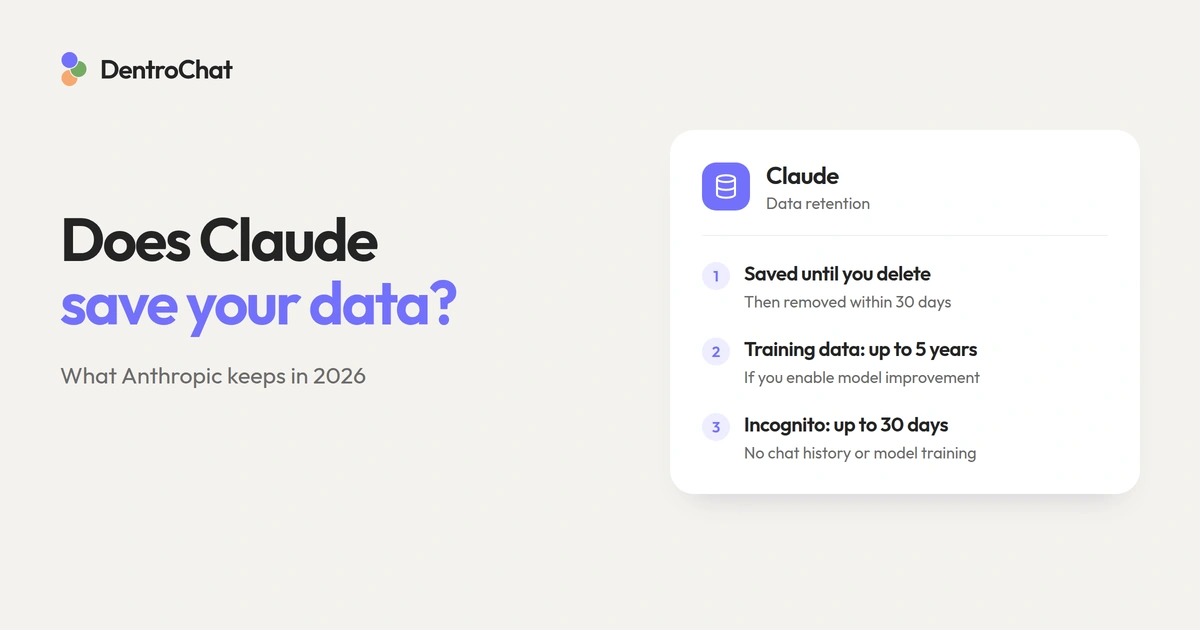
When you paste a client email into Claude, you probably wanna know where it will end up. Yes, Claude saves your data: normal conversations stay in your account so you can reopen them, and Anthropic collects account information as well as usage data. On consumer plans, your chats can also be used for model training when Help Improve our AI models is enabled. Deleting a conversation starts a deletion window of up to 30 days, while data shared for training can remain (in de-identified form) for up to five years.
Pro or Max subscriptions are handled the same: both use Anthropic’s consumer data rules. Team and Enterprise have different commercial terms. Check which account you’re signed into before sharing confidential data.
The short answer:
- Regular chats: Saved in your history until you delete them.
- Model improvement enabled: New or resumed conversations can be used for training.
- Deleted chats and Incognito: A 30-day retention window generally applies, (longer for safety and legal exceptions)
- Feedback: Submitting a thumbs-up/down report can send the whole related conversation for retention of up to five years, and it also might be used for training.
Policies checked on 11 November 2026. This guide focuses on Claude’s consumer chat experience, the commercial differences are covered below.
What does Claude save, and for how long?
Claude saves the content you share with it, for example your prompts, uploaded documents, and Claude’s answers. In Anthropic’s privacy policy you can see they also collect your account details and technical information, such as your IP address and usage logs.
Here’s whether Claude saves your data:
| How you use Claude | What happens to the conversation? | Retention to know about |
|---|---|---|
| Regular consumer chat, training off | Saved in your chat history until you delete it | Removed from history immediately when deleted, backend deletion within 30 days |
| Regular consumer chat, training on | Saved in your chat history until you delete it, and eligible for model improvement | Same chat deletion process, de-identified data can also stay in training pipelines for up to five years |
| Consumer Incognito chat | Temporary chat, excluded from history and model improvement | Automatically deleted after the normal 30-day retention period |
| Conversation submitted as feedback | Whole related conversation may be stored and used for training | Up to five years |
These time spans are from Anthropic’s consumer retention policy and Incognito documentation. In both regular-chat rows, deleting means deleting the conversation from your chat history. The five-year period applies to de-identified data in training pipelines, but of course it doesn’t mean your saved chats automatically expire after five years. Deleting a chat also excludes it from future training runs, although it cannot undo training already started or completed.
The retention periods in the table can be extended for safety or legal reasons. If their automated safety systems flags a conversation that it is violating Anthropic’s Usage Policy, Anthropic says it can keep the inputs and outputs for up to two years! And related safety classification scores for up to seven years! Legal obligations can require longer retention too.
Does Claude train on your data?
Claude can train on your consumer conversations when you allow model improvement. Anthropic introduced this choice for its consumer plans in its 2025 terms update, for both Claude “Chat” and Claude Code.
Once you turn this on, Anthropic can use new chats and older conversations you resume for training. Whole conversations and all its contents can be used for training, so consider an attached document as carefully as anything elsle you type into the message box.
Once you switch the training setting off, Anthropic says it will exclude both stored and new chats from future training runs. However, your data can still be used in a run that’s already started, and your data isn’t extracted if it’s already part of any finished training.
Furthermore, feedback and safety reviews have their own rules. In Anthropic’s training policy we see it uses conversations that get flagged for safety review to improve its safeguards. This happens even when you’ve turned ordinary model improvement off!
Use the feedback buttons and Claude isn’t private anymore
When Claude gets something wrong, it’s tempting to hit thumbs-down and move on. But submitting feedback means Anthropic stores the whole related conversation for up to five years and potentially uses it for training. This feedback exception even applies to commercial accounts too!
So if you want to stay as private as possible with Claude, don’t use any feedback buttons.
How to change your Claude privacy settings
If you want to keep using Claude but also limiting model training, start with the privacy toggle. You can reach it through Claude’s privacy settings.
Turn off model improvement
On your computer, open your account menu, choose Settings, then Privacy. Switch off Help Improve our AI models. On the mobile app, open your account settings and follow the same Settings → Privacy path.
These steps follow Anthropic’s model improvement settings guide. After changing the setting, your existing conversations stay in your account, so you can do this without having to be afraid of deleting anything by accident.
Delete conversations you no longer need
To delete a thread, open its conversation menu and choose the delete option. It disappears from your history immediately, but Anthropic says deletion on their side happens within 30 days, subject to the retention exceptions above.
If you’ve also uploaded a sensitive file to project knowledge, also check the project. Because deleting a conversation might still leave a separate copy of the document somewhere else in Claude.
Review saved memory
Claude can remember details from your conversations and use them in other chats. Its current memory documentation says memory is on by default for consumer plans, and deleting a conversation can leave the memory entries generated from it in place.
Open Settings → Your Claude to review Your memory; some accounts show Settings → Memory in the older layout. Delete any saved topics you no longer want retained, or use Reset memory to clear all memories. And with Pause memory you keep existing entries while stopping their use and the creation of new memories.
If you also want to prevent Claude from finding older conversations, switch off Search and reference chats.
Does Claude Incognito save your conversations?
Claude Incognito chats are temporary chats: they stay out of your history and memory, and Anthropic normally deletes them after 30 days (subject to the safety and legal exceptions above). Anthropic also says Incognito conversations are excluded from model improvement, even when you have enabled training for regular chats!
To start an incognito chat, open a new chat outside a project and select the ghost icon. Check for the Incognito chat label before sending your message. Once you close the session, you cannot reopen it from your history.
You’re still sending the conversation to Anthropic, so be careful about what you share in Incognito. On Team and Enterprise, these chats can also appear in organizational exports, and your organization’s retention policy may keep them longer.
Is Claude private enough for confidential work?
It depends on what you’re sharing. Asking Claude to summarize a public article is very different vs. uploading a client’s contract. Turning training and memory off is a good first step, but let’s also look at where the data goes and who can access it:
Anthropic’s privacy policy allows data processing by service providers and disclosure in response to enforceable legal requests. Furthermore, Anthropic also says consumer data is transferred to servers in the United States or other countries outside the EEA and UK. Even if Anthropic Ireland is your data controller, your conversations can still be processed outside Europe.
For confidential company material, better use a tool your organization has approved under suitable contractual terms. Personal data may require a data processing agreement and an assessment of international transfers, the appropriate setup depends on your role and use case.
Our guide to AI for confidential documents explains what to check before uploading a client file.
How do commercial Claude accounts handle data?
Anthropic says it does not train on commercial inputs or outputs by default. This covers Claude for Work and the Anthropic API, among its other commercial products. If you submit feedback though or explicitly allow training, Anthropic can use that material, as its commercial training policy explains.
There’s the option for enterprise administrators to set retention controls for how long their employees have access to their chats. For ordinary API use, Anthropic says it deletes inputs and outputs within 30 days (although again some features and contracts have different rules).
Some API customers can agree to zero data retention, but eligibility depends on the model and feature. In Anthropic’s commercial retention documentation they also describe additional retention requirements for certain AI Models. Don’t assume a zero-retention agreement covers every request, better double check your terms.
Using Claude Code? Check how you signed in. Sessions accessed through a consumer account fall under Anthropic’s consumer policies, and commercial access has separate terms.
What is a European alternative with no training on your chats?
If you want your conversations kept out of model training and processed in Europe, DentroChat’s privacy commitments are a place to start. DentroChat processes data in the EU and Switzerland, with its providers published in the subprocessor list, and our privacy policy outlines that conversations are not used to train AI models.
You can compare the broader options in our European ChatGPT alternatives guide. If you use both major US assistants, our companion article on whether ChatGPT saves your data covers OpenAI’s settings separately.